Your Notion Tasks, Perfected for iPhone
Seamlessly manage your Notion databases, sync your calendar, and automate repetitive tasks – all in one beautifully designed app that makes productivity effortless.
Everything You Need to Stay Organized
Calendar Meets Notion Databases
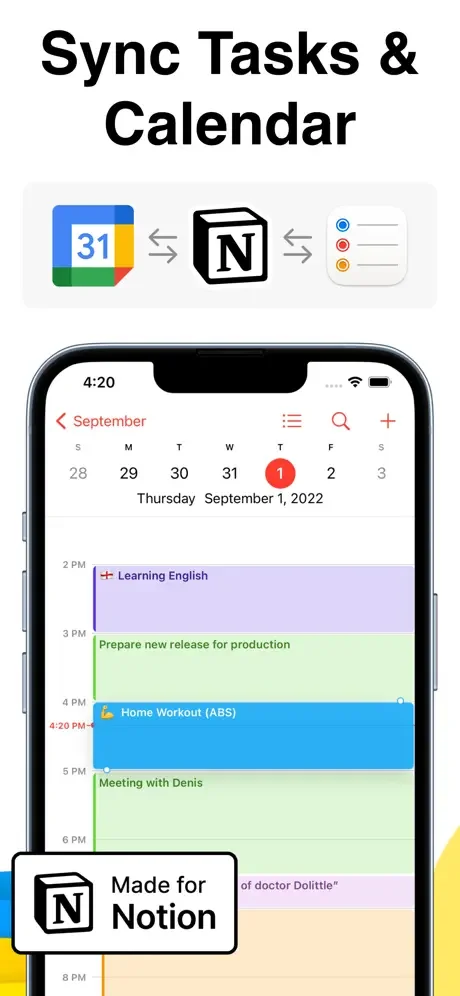
Connect your Apple or Google Calendar with Notion to see all your deadlines, events, and tasks in one place. Never miss an important date while keeping your Notion workflow intact.
Notion on Mobile, Finally Done Right
Work with your Notion databases smoothly on your iPhone with built-in automation tools. No more frustration – just a fast, intuitive mobile experience designed specifically for iOS.
Automate Repetitive Work Away
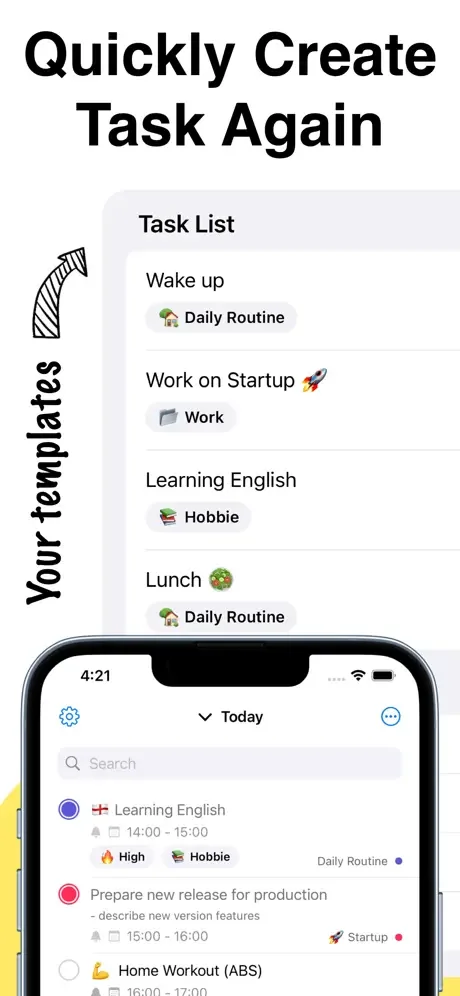
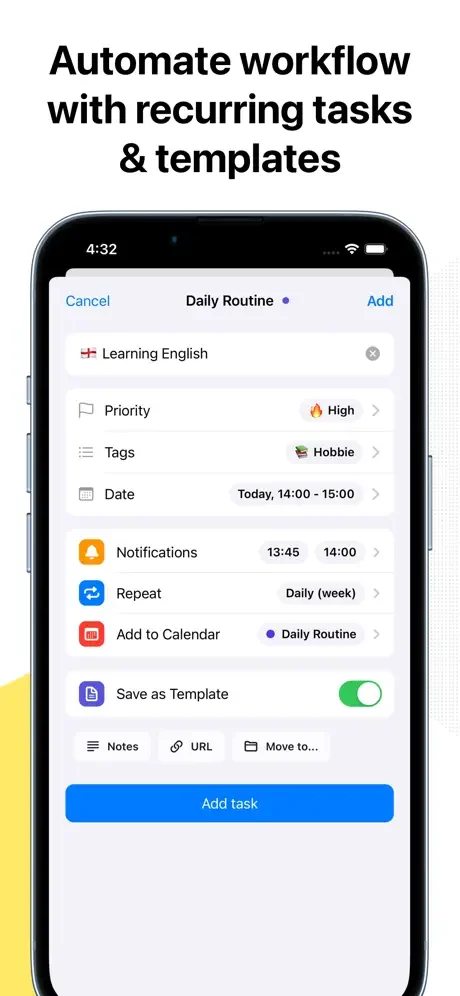
Create task templates and set up recurring tasks to handle routine work automatically. Spend less time on repetitive entry and more time on what actually matters.
One App for Everything
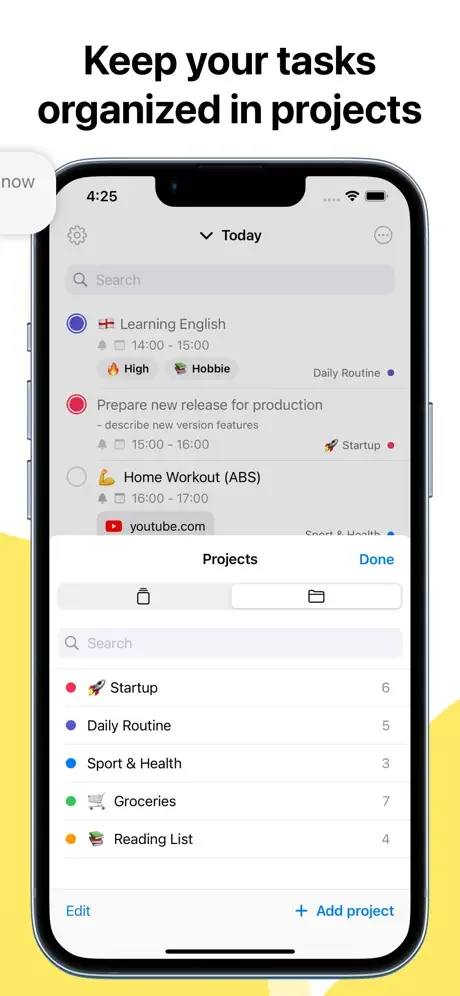
Manage both your work projects and personal life without switching between multiple apps. Stay organized across all areas of your life with customizable notifications that keep you on track.
About
To-Do List & Task for Notion is not affiliated with Notion.
What is "To-Do List & Task for Notion"?
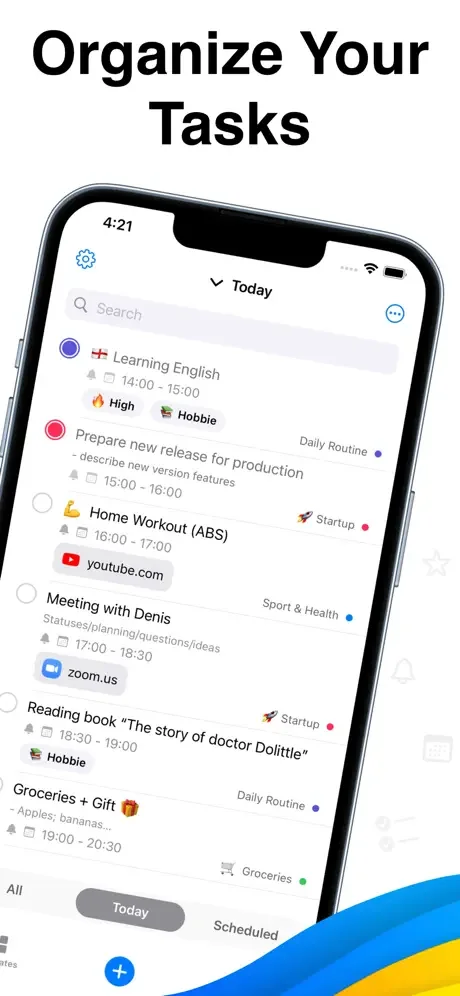
This app is a powerful to-do list designed to help you organize both work and personal life. With built-in automation tools, you can save time and boost productivity by seamlessly integrating with your Calendar and Notion apps.
Key Features:
- Sync Calendar & Tasks - Sync your Apple or Google Calendar to manage deadlines and your overall schedule for projects and tasks more efficiently. Get started today and take control of your time!
- Integrate Notion Databases - Automate your Notion databases to enhance productivity. Using your iPhone to work with Notion has never been more convenient. Try it out and see how much easier your workflows can become.
- Task Templates - Create templates for common tasks to save time. Focus on more important things while recurring tasks are handled automatically. Start simplifying your tasks now.
- Recurring Tasks - Set up recurring tasks to ensure you never miss important deadlines. Automate routine work and streamline your workflows. Let the app handle the repetitive tasks so you can focus on what really matters.
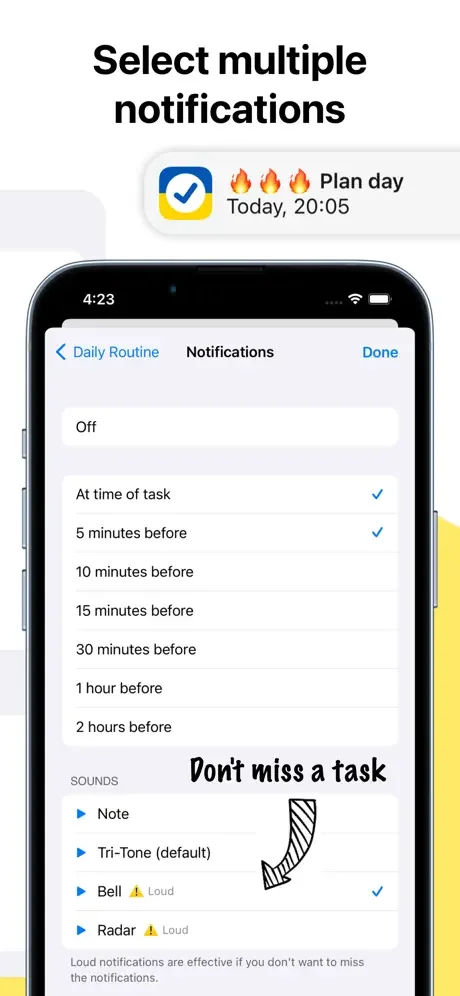
- Multiple Notifications - Customize your notifications to suit your needs and stay on top of everything that matters to you. Experience full control over your schedule today.
- Apple Design - Built with Apple's design principles, the app offers a smooth, intuitive experience on your iPhone. Download now and enjoy an app that's as efficient as it is easy to use.
Ready to boost your productivity? Download To-Do List & Task for Notion today and start organizing your life with ease!
Links
- Privacy Policy: https://zipoapps.com/taskfornotionios/privacy
- Terms and Conditions: https://zipoapps.com/taskfornotionios/terms
See How Simple Organization Can Be
Join Thousands of Organized, Productive Users
Title: Efficient Task Management Made Easy I recently started using NotionUA, and it has significantly improved my productivity and organization. The app's clean and intuitive interface makes task management a breeze. One of the standout features is its simplicity. Creating and organizing tasks is straightforward, and the minimalist design ensures a clutter-free experience. The ability to categorize tasks into different lists and set due dates keeps everything neatly organized. I appreciate the app's flexibility in adapting to different workflows. Whether you're a solo user or collaborating with a team, NotionUAoffers seamless integration and collaboration features. The ability to sync across devices ensures I can access my tasks anytime, anywhere. The reminder and notification system is reliable, helping me stay on top of deadlines without feeling overwhelmed. Additionally, the app's quick add feature allows for efficient task entry on the go. While some might prefer more advanced features, NotionUA excels at providing a straightforward solution for those seeking simplicity and effectiveness in their task management. Overall, it's become an essential tool in my daily routine, aiding me in staying organized and focused on my priorities.
The app is really good in my opinion, I’m very unorganized so this app has helped me a lot since I am going into junior year
As a head of household and business owner, I finally have one app to manage my personal and work life
Works well across multiple platforms
Fantastic tool for remote working
You can create custom databases, kanban boards, calendars, and to-do lists tailored to your workflow. Notion combines note-taking, task management, and documentation in one place, reducing the need for multiple apps.